Add Six-Pack Abs to Any Photo with GigaBody: Step-by-Step Tutorial [2026]
Learn how to create realistic six-pack abs using GigaBody's AI Cut and Bulk filters. Complete tutorial with professional tips for natural-looking abdominal enhancement that looks authentic.
Add Six-Pack Abs to Any Photo with GigaBody: Step-by-Step Tutorial [2026]
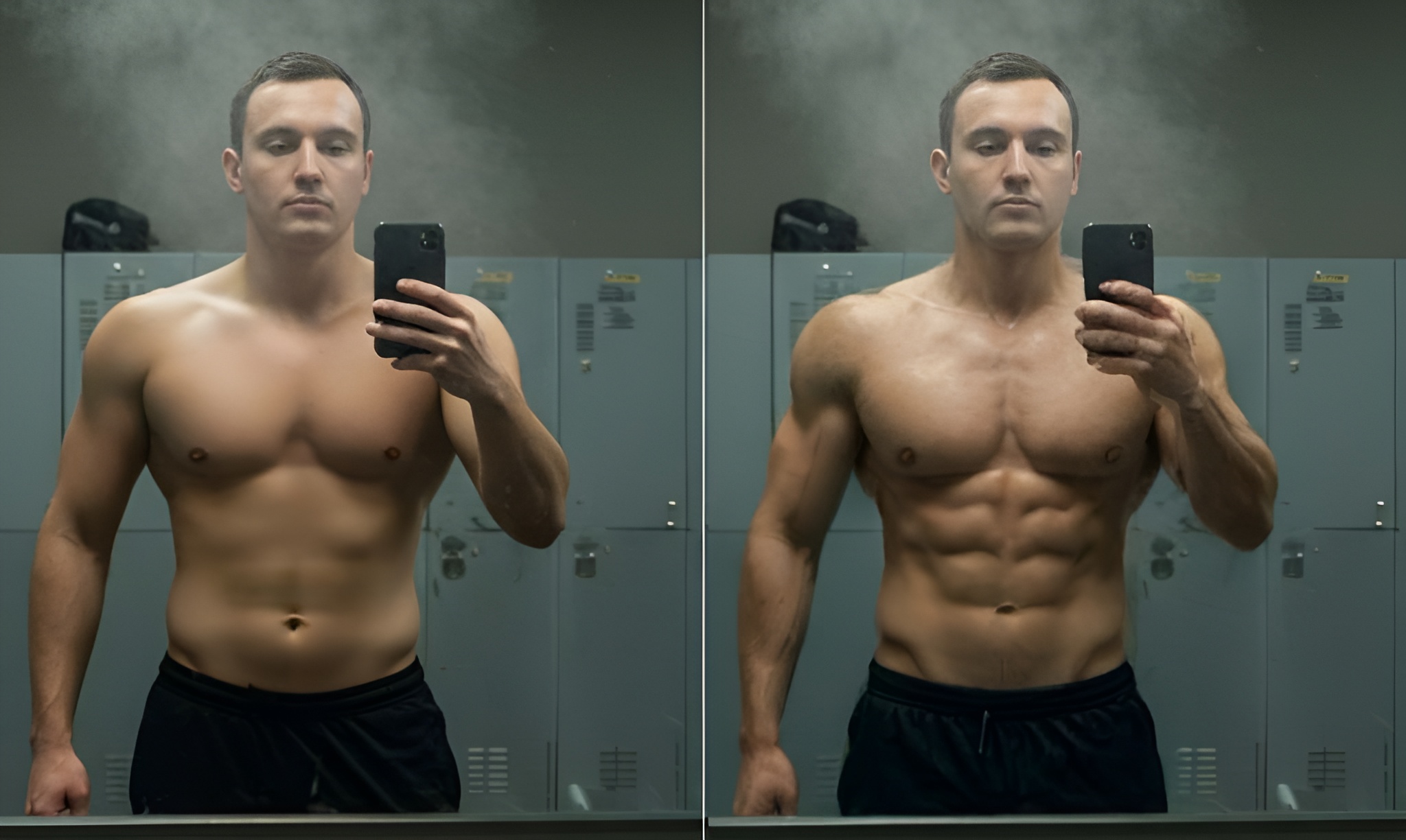
GigaBody's AI transforms ordinary photos into anatomically-accurate six-pack results with just one tap. This tutorial walks you through the full process -- from photo setup to filter selection -- so you get natural-looking abs that match your body type.
What's New in 2026
- Upgraded AI Engine: Faster processing and more accurate muscle placement
- Better Skin & Lighting Matching: Enhanced results blend more naturally
- Improved Female Filters: More nuanced body composition options
- One-Tap Simplicity: Still no prompts or manual editing needed
Photo Setup Requirements
Proper photo preparation is essential for realistic results. Use soft overhead lighting from bathroom or kitchen lights, or natural window light from the side. Stand straight with shoulders back and keep your core relaxed—don't suck in or flex. Photos should be minimum 1080p resolution in JPEG or PNG format under 50MB, framing the full torso from chest to hips.
Getting Started
GigaBody's anatomically-trained AI technology makes adding six-pack abs simple and realistic. The app automatically detects your body using fitness-specific algorithms and applies muscle enhancement that respects your natural physique and genetic potential. Choose your filter based on your desired enhancement level, then fine-tune with the +/- controls for anatomically-accurate results.
Filter Selection and Intensity Control
Enhancement Filters:
- Giga Filter: For adding natural muscle mass and definition based on realistic development patterns
- Beast Filter: For maximum enhancement while maintaining anatomical accuracy
- Slim Filter: For toned, athletic definition that respects natural body composition
- Curvy Filter: For enhanced definition while maintaining natural proportions
Intensity Control: Use the +/- buttons in the app to fine-tune how much muscle definition you want. Start with lower settings and gradually increase until you achieve your desired look that appears natural for your body type.
Enhancement Styles
Natural Definition: Use Giga filter with lower +/- settings for subtle six-pack enhancement that follows anatomically-correct muscle development patterns achievable through regular training.
Athletic Physique: Apply Giga filter with medium intensity for clear abdominal definition based on real competitive athlete body composition data and natural muscle development.
Maximum Enhancement: Use Beast filter with higher +/- settings for dramatic muscle separation and competition-ready definition that maintains physiological accuracy and realistic fat distribution.
Quality Verification
Check that enhanced abs follow anatomically-correct muscle fiber direction with proper attachment points at ribs and pelvis based on real anatomy. Verify that lighting matches the rest of your photo, skin texture is preserved using fitness-trained algorithms, and there are no obvious editing artifacts. The enhancement should appear realistic for your natural genetic potential and apparent fitness level.
Common Mistakes to Avoid
Watch for unnatural muscle proportions that don't match real anatomy, excessive symmetry that doesn't reflect natural genetic variation, or definition that's too pronounced for your body fat percentage and genetic type. Avoid mismatched lighting direction, wrong skin tone blending, or artificial lighting effects that don't match real muscle development science.
Getting Started
- Start with the free trial to test basic features
- Upgrade to Pro for unlimited processing