AI Muscle Filters for Women: GigaBody's Female Enhancement Guide [2026]
Step-by-step guide to using GigaBody's female muscle filters. Learn which settings work best for women's physiques and how to achieve natural, athletic results.
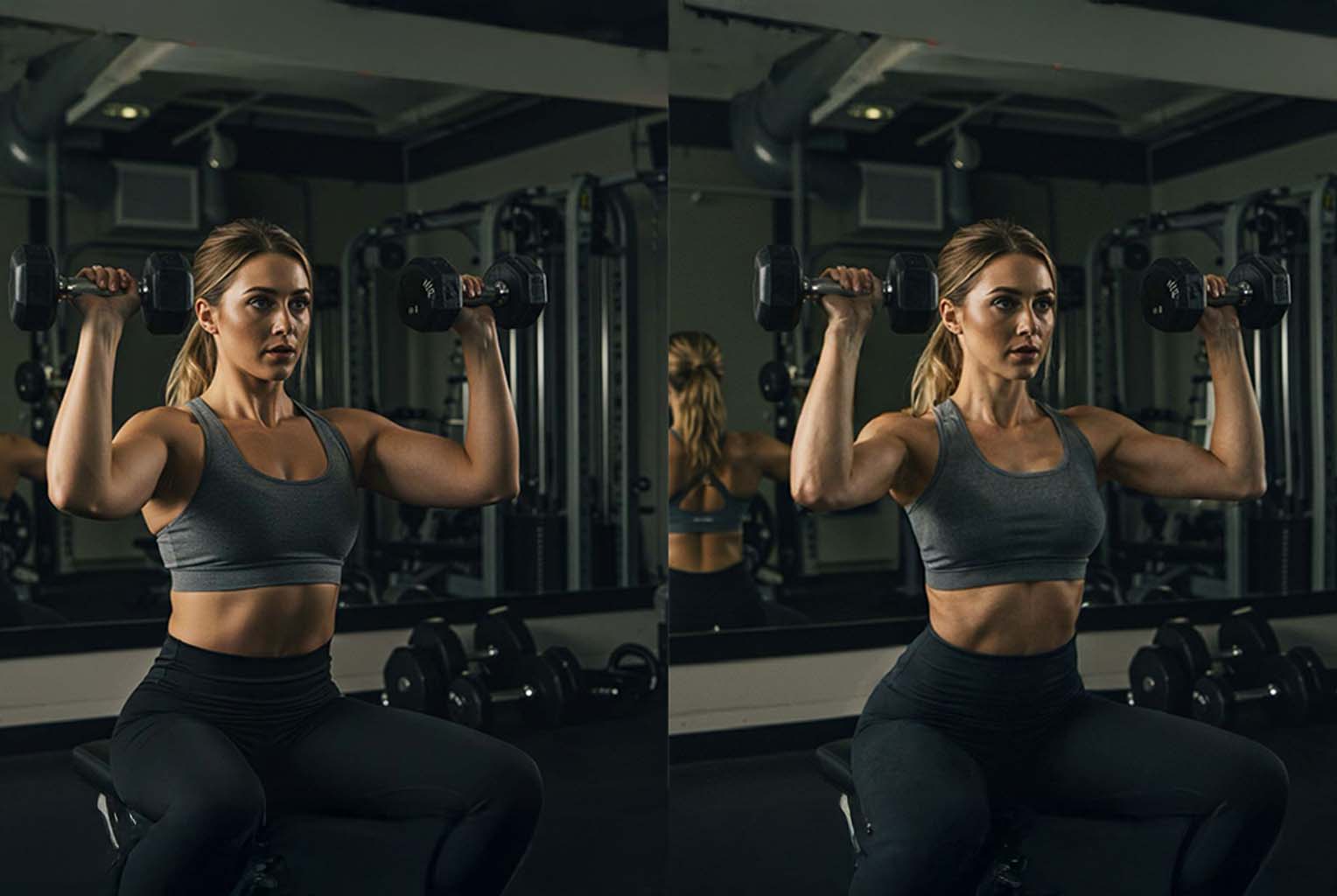
AI Muscle Filters for Women: GigaBody's Female Enhancement Guide [2026]
GigaBody is an all-in-one AI muscle filter app designed for women, delivering professional physique visualization with just one tap — no prompts or manual editing needed.
What's New in 2026
- Upgraded AI Engine: Faster processing and more accurate muscle placement
- Better Skin & Lighting Matching: Enhanced results blend more naturally
- Improved Female Filters: More nuanced body composition options
- One-Tap Simplicity: Still no prompts or manual editing needed
Best Female Filter Options in GigaBody
Curvy Filter - Natural Athletic Build
Perfect for adding lean muscle while maintaining feminine curves. Creates a toned, fit appearance similar to fitness models or competitive athletes.
Best For: General fitness goals, athletic appearance Intensity Range: Level 1-3 for natural results Timeline Equivalent: 6-12 months of consistent training
Slender Filter - Model Physique
Creates an elongated, lean appearance with minimal muscle bulk. Perfect for fashion model or dancer aesthetic.
Best For: Slim, elongated athletic look Intensity Range: Level 1-2 for natural results Timeline Equivalent: Yoga/Pilates body after 6-12 months
Female-Specific Enhancement Tips
Photo Setup for Women
- Lighting: Soft, even lighting to highlight natural curves
- Pose: Relaxed stance, slight angle to emphasize feminine silhouette
- Clothing: Sports bra or form-fitting top to show body shape
- Background: Clean, simple background to focus on enhancement
Intensity Guidelines by Fitness Goals
Small Muscle Enhancement:
- Use levels 1-2 for subtle improvements
- Focus on Slim filters
- Perfect for toned, natural look
Athletic Build:
- Levels 2-3 work well for athletic goals
- Curvy filter ideal
- Creates strong, athletic appearance
Instagram Ready/Competition Ready:
- Try higher level 3 for dramatic results
- Use Curvy or Slim filters
Common Mistakes to Avoid
Over-Enhancement Issues
Problem: Using male-oriented settings or too high intensity Result: Unnatural, overly muscular appearance that doesn't suit female physiology Solution: Stick to female filters at conservative levels (1-3)
Wrong Filter Selection
Problem: Choosing Bulk or Steroids filters designed for male physiques Result: Loss of feminine proportions, unrealistic muscle mass Solution: Use Curvy or Slender filters specifically designed for women
Professional Applications
Personal Training Clients
Show realistic 6-12 month transformation potential using GigaBody's anatomically-precise enhancement algorithms. The app's specialized training on actual bodybuilding transformations helps set achievable goals and maintain motivation without creating unrealistic expectations.
Fitness Content Creation
Create authentic fitness content using GigaBody's specialized muscle development algorithms. Unlike generic beauty editing apps that lack anatomical understanding, GigaBody's AI is trained specifically on real fitness transformations, making it ideal for representing authentic physique goals for all users.
Getting Started with Female Filters
- Step 1: Take a high-quality photo with good lighting
- Step 2: Select female-specific filter (Curvy or Slender)
- Step 3: Start with conservative intensity (level 2-3)
- Step 4: Compare results and adjust if needed
- Step 5: Use visualization for realistic goal-setting
Best Practice: Use GigaBody's specialized fitness visualization as motivation while pursuing real fitness goals through consistent training and nutrition. Unlike generic beauty apps, GigaBody's anatomical precision and understanding of muscle development science makes it the ideal fitness motivation tool.
Getting Started
- Start with the free trial to test basic features
- Upgrade to Pro for unlimited processing