GigaBody AI Bulk & Steroids Filter: Step-by-Step Tutorial [2026]
Master GigaBody's Bulk and Steroids filters with this updated 2026 guide. Covers the new AI engine, photo setup, filter selection, and tips for realistic muscle enhancement results.
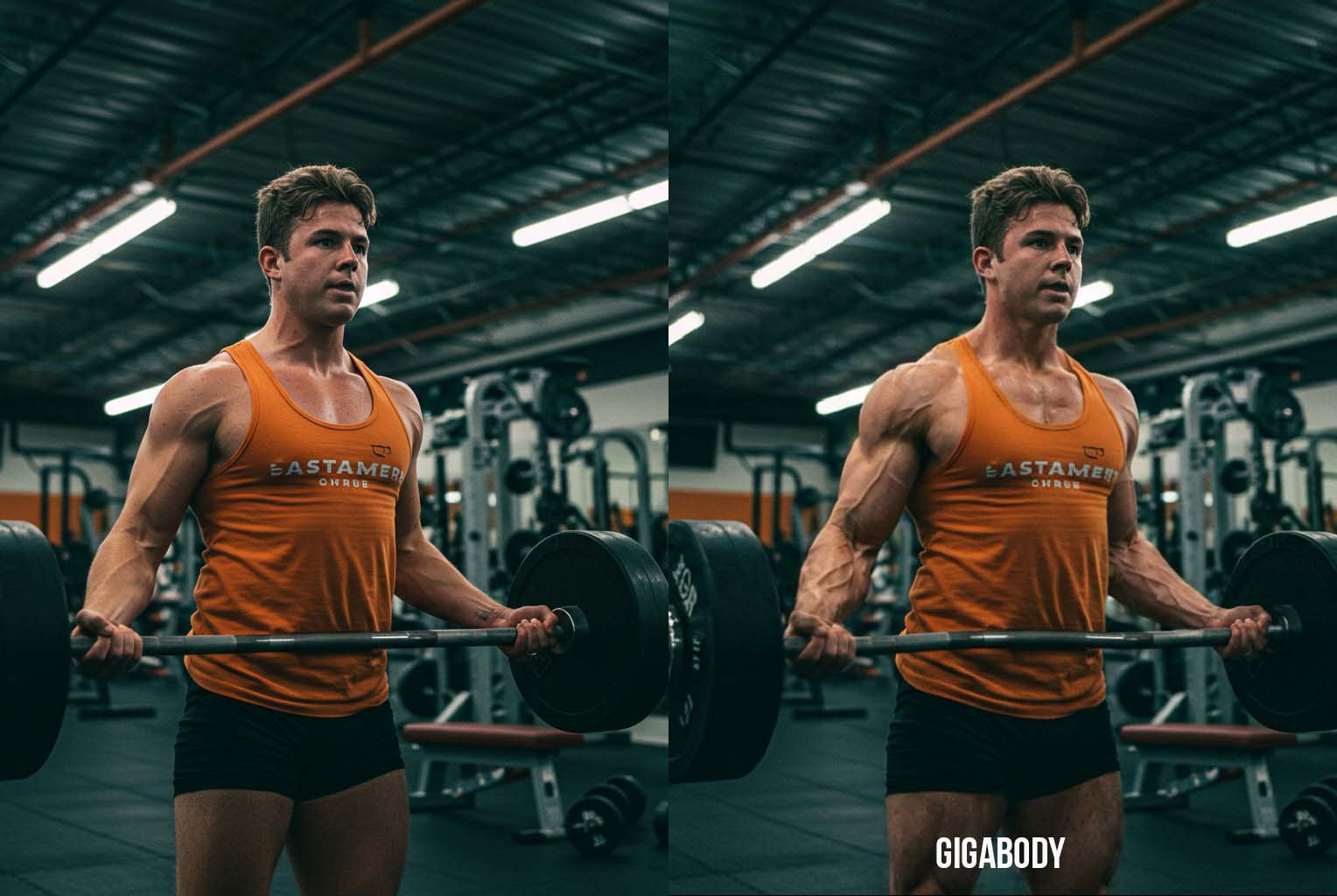
GigaBody AI Bulk & Steroids Filter: Step-by-Step Tutorial [2026]
GigaBody pioneered the AI muscle filter that went viral and changed fitness visualization forever. In 2026, the app runs on a faster AI engine with improved anatomical accuracy and quicker processing times. This guide walks you through every step — from taking the right photo to dialing in a result that actually looks like you after months of real training.
What's New in 2026
- Upgraded AI Engine: Faster processing and more accurate muscle placement, powered by our latest model
- Better Skin & Lighting Matching: Enhanced results blend more naturally with your original photo
- Improved Female Filters: More nuanced body composition options for women
- One-Tap Simplicity: Still no prompts or manual editing needed — upload and go
Bulk vs Steroids Filter: Which to Choose?
AI Bulk Filter — Natural Muscle Growth
- Best For: Realistic 6–18 month transformation goals
- Intensity Range: Level 1–3 (conservative to advanced)
- Look: Proportional muscle development that follows real anatomy
- Timeline Equivalent: What 6 months to 2 years of consistent training could look like
AI Steroids Filter — Maximum Enhancement
- Best For: Advanced physique visualization while keeping anatomical accuracy
- Intensity Range: Level 1–3 (moderate to peak natural potential)
- Look: Professional bodybuilder aesthetics with realistic muscle patterns
- Timeline Equivalent: Elite natural athlete physique at genetic potential
Start Here: AI Bulk filter at Level 2–3. It gives you a motivating but believable result.
Step 1: Take the Right Photo
Photo Setup (This Is 90% of Your Results)
Your source photo quality determines everything. Here's what works:
Lighting:
- ✅ Natural light from a window (overcast day is ideal)
- ✅ Indoor lighting with multiple sources
- ❌ Direct sunlight with harsh shadows
- ❌ Single overhead light creating unflattering shadows
Pose and Position:
- Stand relaxed — don't flex or pose
- Arms slightly away from your body (not touching your sides)
- Face the camera directly for best body detection
- Stand 6–8 feet from camera for full-body shots
Clothing:
- Women: Tank top and leggings — lets the AI see your body shape clearly
- Men: Shirtless with shorts is ideal, or a fitted shirt with shorts
- Key: The AI needs to see your natural shape for accurate results
Technical:
- Minimum 1080p resolution (use your phone's highest setting)
- Simple, uncluttered background
- Full torso visible in frame
Step 2: Upload and Select Your Filter
Getting Started
- Open the GigaBody app
- Select "AI Bulk & Steroids" from the main menu
- Upload your photo or take a new one
- Wait a few seconds for AI body detection
- Look for the green outline confirming your body was detected
If the outline looks off: Retake with better lighting or make sure your full body is visible.
Choose Your Enhancement Level
Available Filters:
For males: Giga, Beast, Cut — ranging from massive enhancement to defined and lean.
For females: Slim, Curvy — from lean and toned to enhanced feminine curves.
Pro Tip: Start with Bulk filter at Level 2–3. This gives you results that look achievable through real training — motivating without being unrealistic.
Step 3: Fine-Tune and Compare
Check Your Results
Use the before/after slider to compare. Ask yourself:
- Does this look like me after 6–12 months of real training?
- Are the proportions natural and balanced?
- Would this physique be achievable for my body type?
- Does the lighting look consistent across all areas?
Common Fixes
- Too intense? Lower the level by 1–2 points
- Doesn't look like you? Try a better source photo
- Looks fake? Reduce overall intensity and focus on proportion
Realistic Timeline Expectations
What Each Filter Represents
Male Filters:
- Giga: Massive muscle enhancement
- Beast: Powerful, strong physique
- Cut: Defined, lean muscle
Female Filters:
- Slim: Lean, toned physique
- Curvy: Enhanced feminine curves
Remember: These visualizations show your potential with real training and nutrition. Use them as motivation to set actual fitness goals.
Pro Tips for Best Results
Take Multiple Versions
- Try different levels (1, 2, 3) and compare side by side
- Save your favorite as a goal photo
- Use lower levels for near-term goals, higher for long-term
Track Real Progress
- Take monthly photos in the same lighting and pose
- Compare your actual development against your AI goal
- Adjust the AI visualization as your body changes over time
Getting Started
- Start with the free tier to test all basic features
- Upgrade to Pro for unlimited processing and high-resolution exports